Menu Groups |
Purpose |
Allows an organization to create, edit or activate/inactivate menu items in a chosen group. Use the drop down menu to choose the role for which the menu items will be edited..
Add Menu Group
Click on "Add Menu Item". Enter the appropriate information in each data field. The "description" field is optional.
Edit Menu group
Choose your role from the drop down menu.
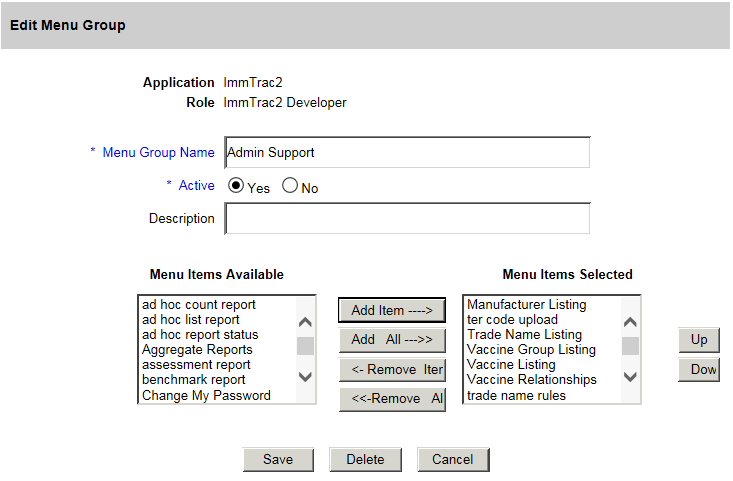
All the menu groups and menu items are listed.
Click on the item you wish to add/remove or activate/inactivate.
The "Description" field is optional.